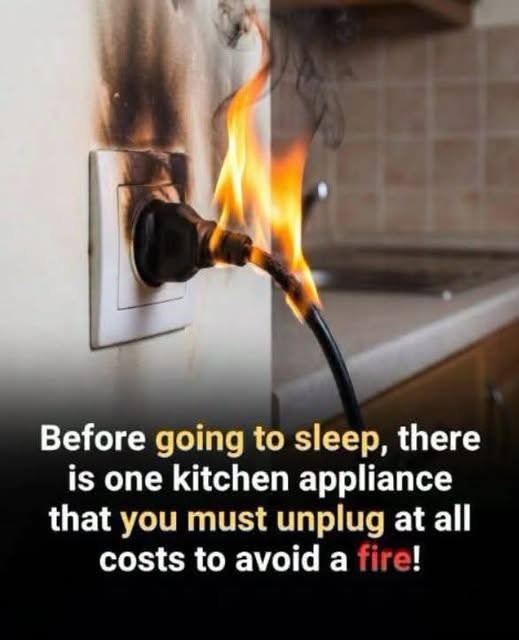
Why Unplugging Household Devices Saves Energy and Supports a Safer Home
18. How to Create a Safe and Energy-Efficient Unplugging Routine
A well-organized household routine can make reducing standby electricity much easier.
Rather than unplugging random devices throughout the day, identify equipment that can safely be disconnected when it is not being used.
Morning Routine
After waking up, check whether small kitchen appliances and chargers are connected unnecessarily.
Switch off equipment that is not needed and ensure that essential appliances remain powered.
After Using Electronics
When finishing a gaming session or working on a desktop computer, shut down equipment according to the manufacturer’s instructions.
If it will remain unused for an extended period, consider disconnecting suitable accessories.
Before Leaving Home
Check that irons, portable heaters, cooking appliances, and other equipment that should not remain operating have been switched off.
Do not disconnect essential systems that require continuous power.
Before Going on Vacation
Longer absences provide an opportunity to identify equipment that does not need to remain connected.
However, keep refrigerators, freezers, security equipment, and other essential systems powered unless you have followed the appropriate shutdown and preparation instructions.
For appliances that will be disconnected, use the manufacturer’s recommended procedure.
19. Is Unplugging Everything Better Than Using Standby Mode?
Not necessarily.
Some modern electronic devices are designed to consume extremely little electricity in standby mode.
For these appliances, the potential savings from unplugging may be very small.
Additionally, standby functions may provide useful features, including:
Automatic software updates.
Scheduled recordings.
Remote activation.
Network communication.
Faster startup.
Charging connected accessories.
Completely disconnecting such devices may interfere with these functions.
The best approach is to balance energy efficiency, convenience, safety, and appliance requirements.
For equipment with relatively high standby consumption, disconnecting it may be worthwhile.
For modern devices with very low standby consumption, using their built-in energy-saving settings may be more practical.
20. The Long-Term Value of Small Energy-Saving Habits
Energy efficiency is rarely achieved through one dramatic action.
Instead, it usually develops through many small decisions repeated consistently.
Unplugging an unused charger, switching off an entertainment system, and avoiding unnecessary standby consumption may seem insignificant individually.
However, these habits can contribute to lower electricity consumption when applied across multiple appliances and over extended periods.
They can also encourage greater awareness of how electricity is used throughout the home.
This awareness may lead to other useful improvements, including selecting efficient appliances, monitoring electricity bills, and identifying equipment that consumes more energy than expected.
The financial benefit will vary from household to household, but the underlying principle remains valuable: electricity should be used when it serves a purpose, not wasted unnecessarily.
Conclusion: A Smarter Home Begins With Small Electrical Habits
Unplugging household devices is a simple way to reduce unnecessary electricity consumption while supporting better electrical awareness and household safety.
Many modern electronics continue drawing small amounts of power when switched off or placed in standby mode. Although individual consumption may appear insignificant, multiple devices operating continuously can contribute to unnecessary energy use over time.
Disconnecting suitable appliances, using energy-efficient power strips, and adjusting standby settings can help reduce this waste.
There are also safety considerations. Removing nonessential equipment from electrical outlets can reduce its exposure to certain electrical surges, while switching off appropriate appliances after use can help prevent unnecessary operation.
However, not everything should be unplugged. Refrigerators, security systems, medical equipment, and other essential appliances often require a continuous power supply.
The most effective strategy is to understand which devices consume unnecessary electricity and disconnect only those that can safely operate without continuous power.
Ultimately, creating an energy-efficient home does not require complicated technology or expensive changes. Sometimes, one simple habit—switching off and unplugging equipment when it is no longer needed—can be a useful step toward saving energy, protecting electronics, and maintaining a more responsible household.
Frequently Asked Questions
1. Does unplugging household appliances really save electricity?
Yes. Unplugging devices that consume standby electricity eliminates their power consumption while disconnected. The amount saved depends on the appliance, its standby power requirements, and how long it would otherwise remain connected.
2. What household devices consume electricity even when switched off?
Common examples include televisions, gaming consoles, desktop computers, printers, microwave clocks, streaming devices, and some chargers. Actual consumption varies depending on the device’s design and standby settings.
3. Should I unplug my phone charger when I am not using it?
Unplugging an unused phone charger eliminates any standby electricity it might consume. Modern chargers generally use very little power without a connected device, but disconnecting them is a simple way to avoid unnecessary consumption.
4. Can unplugging appliances reduce my electricity bill?
Yes. Disconnecting devices that consume standby electricity can reduce household energy consumption. Savings depend on the number of appliances, their individual power consumption, and local electricity prices.
5. Is it safe to leave appliances plugged in overnight?
Many household appliances are designed to remain connected continuously. However, equipment such as irons, portable heaters, and certain cooking appliances should be switched off after use. Always follow manufacturer safety instructions and avoid leaving damaged equipment connected.
6. Should I unplug my television when I am not watching it?
You can unplug a television if you do not need its standby functions, automatic updates, or scheduled recordings. Alternatively, use its energy-saving settings or a suitable switched power strip to reduce unnecessary electricity consumption.
7. Can unplugging electronics protect them from lightning?
Disconnecting suitable electronics before a thunderstorm can reduce the risk of electrical damage through their power connections. However, never handle electrical plugs or cords during active lightning conditions. Proper surge protection provides another layer of protection.
8. Which appliances should remain plugged in all the time?
Refrigerators, freezers, essential medical equipment, security systems, and certain monitoring or water-management systems generally require continuous electricity. Always consider an appliance’s purpose before disconnecting it.
9. Are smart plugs useful for saving electricity?
Smart plugs can help control electricity use by switching selected devices off automatically or according to a schedule. Some models also monitor energy consumption, helping identify appliances that use unnecessary standby power.
10. What is the easiest way to reduce vampire energy at home?
Start by identifying devices that remain connected unnecessarily, such as entertainment systems, unused chargers, and occasionally used electronics. Use suitable switched power strips, adjust energy-saving settings, and disconnect equipment that does not require continuous electricity. Small, consistent changes can help reduce unnecessary household energy consumption.